Life Context Packs
Pre-built vocabulary packs for different life situations. Core Communication, School Life, Social & Fun, Medical & Care, and more. Select the packs that match the communicator's life, and the right words are ready from day one.
What Are Context Packs?
A context pack is a set of vocabulary organized around a specific life situation. Instead of building a vocabulary from scratch—deciding which words a school-age child needs, or which terms a hospital patient requires—packs provide an organized starting point.
Each pack includes words, phrases, and folder structures relevant to its context. The Core Communication pack covers universal needs: pronouns, basic verbs, feelings, yes/no, and help. The School Life pack adds subjects, supplies, classroom activities, and schedule-related words. The Medical & Care pack includes pain descriptors, body parts, symptom vocabulary, and medication terms.
Packs are designed to be combined. A student might use Core Communication, School Life, and Social & Fun together. A hospital patient might use Core Communication, Medical & Care, and Hospital & Acute Care. The vocabulary from all selected packs merges into a single, organized grid.
Available Packs
Pie Talker ships with eight built-in vocabulary packs, each organized around a specific life situation.
Core Communication
The foundation of every vocabulary. Pronouns (I, you, he, she, we, they), basic verbs (want, go, help, stop, like, need), feelings (happy, sad, angry, scared, tired), yes/no, greetings, and essential phrases. This pack is always active and cannot be turned off—it provides the minimum vocabulary every communicator needs.
Early Learning
Colors, shapes, numbers, the alphabet, animals, and basic concepts like big/small, up/down, in/out. Designed for young children or anyone working on foundational concepts. Pairs naturally with Stage 1 and Stage 2 communication levels.
School Life
Subjects (math, reading, science, art, music, PE), supplies (pencil, paper, book, computer, scissors), activities (circle time, recess, lunch, assembly), and schedule words (today, tomorrow, morning, afternoon). Everything a student needs to participate in the school day.
Social & Fun
Games, music, sports, jokes, party vocabulary, birthday, movies, and social phrases like "that's funny," "let's play," "your turn," and "good game." Enables social participation beyond just requesting—because communication is about connection, not just needs.
Medical & Care
Pain descriptors (sharp, dull, throbbing, aching), body parts, common symptoms (nauseous, dizzy, itchy, sore), medication terms (medicine, pill, dose), and appointment vocabulary. Essential for anyone with ongoing medical needs who needs to communicate clearly with healthcare providers.
Independent Living
Cooking (stir, pour, microwave, oven), cleaning (sweep, wipe, laundry, vacuum), shopping (buy, price, cart, bag), and transportation (bus, car, walk, ride). For teens and adults working toward or maintaining independence in daily life.
Workplace
Meetings (agenda, question, agree, disagree), tasks (done, next, deadline, priority), break time, computer and phone vocabulary, and workplace social phrases (good morning, see you tomorrow, excuse me). For adults in employment or vocational settings.
Hospital & Acute Care
Emergency medical vocabulary, pain scales (rate 1–10), nurse call phrases, IV and tube-related terms, comfort requests (cold, hot, blanket, position), and critical alerts. Designed for patients who may be temporarily or permanently unable to speak in a clinical setting.
Selecting Packs
Packs can be selected in two places:
During the Setup Wizard
The setup wizard includes a step where you choose which packs to activate. This happens before the communicator sees the grid for the first time. The wizard presents each pack with a description, and you simply toggle on the ones that fit. Core Communication is pre-selected and cannot be turned off.
In Settings, Anytime
After setup, packs can be added or removed at any time:
- Open Settings (gear icon or long-press any tile)
- Go to the Vocabulary tab
- Find Life Context Packs
- Toggle packs on or off
- The grid updates immediately with the new vocabulary
Adding a pack does not remove any custom tiles you have created. Removing a pack hides its vocabulary but does not delete any customizations you made to those tiles. If you turn a pack back on later, everything is as you left it.
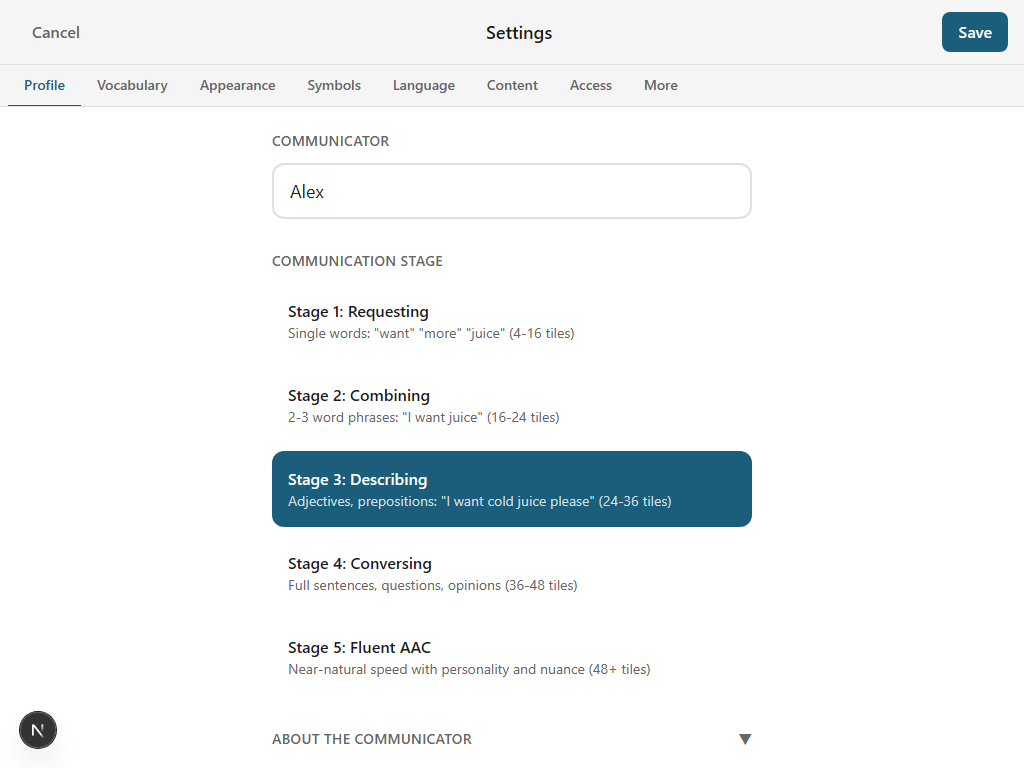
How Packs Interact with Stages
Packs and stages work together but serve different purposes:
- Packs define which vocabulary is available—they determine the words and folders in the system.
- Stages control how much vocabulary is shown—they filter the visible tiles based on complexity.
For example, if you have the School Life pack active and the stage is set to 1, only the simplest school-related words appear (maybe "teacher," "book," "lunch"). At Stage 3, more of the pack becomes visible (subjects, supplies, schedule words). At Stage 5, the entire pack is accessible.
This means a caregiver can confidently enable multiple packs without worrying about overwhelming the communicator. The stage acts as a natural filter, showing only what is appropriate for the communicator's current level. As the stage increases, more vocabulary from each active pack gradually becomes visible.
Predictions also respect this interaction. The prediction engine gives a preference to vocabulary from active packs. If the School Life pack is active and it is a weekday morning, school-related words rank higher in suggestions.
Custom Vocabulary
Packs are a starting point, not a ceiling. You can add your own tiles on top of any pack:
- Add individual tiles: Long-press an empty spot on the grid (or use the tile editor) to create a new tile with any word, symbol, or personal photo.
- Create folders: Organize custom tiles into folders that make sense for the communicator's life.
- Edit pack tiles: Long-press any existing tile to change its label, symbol, pronunciation, or color.
- Personal tiles from setup: During the setup wizard, family members and interests you enter are automatically created as tiles in a "My People" folder.
Custom tiles are never affected by pack changes. If you turn off the School Life pack, your custom "Ms. Johnson" tile in the People folder stays exactly where it is. Packs provide the scaffolding; your customizations make it personal.
The Enhanced Suggestions feature (when enabled) also helps grow vocabulary naturally. The Discover section in the prediction row shows new words from the full ARASAAC library of over 13,000 symbols. Tap a Discover suggestion and it automatically becomes a tile in your grid—no manual setup required.
Explore More
The right words, ready on day one
Select the packs that match the communicator's life and start talking immediately.
Open Pie Talker — Free